Project management for freelancers on Mac
Manage your client projects. Not another subscription.
Keep your projects, tasks and time organized in one simple Mac app. Work offline, skip the account setup, and keep your project data on your device.
- No account required
- Works offline
- No subscription
Your work is complicated enough. Your project manager shouldn't be.
Between client deadlines, scattered tasks and time tracking, staying organized can quickly become another job.
You don't need enterprise workflows, mandatory cloud accounts or another monthly bill just to manage your own projects.
Kairos keeps things simple.
- All your projects in one place
- A clear view of what's next
- Time tracking built into your workflow
- Your project data stays on your Mac
Stay organized
Every client. Every project. One clear view.
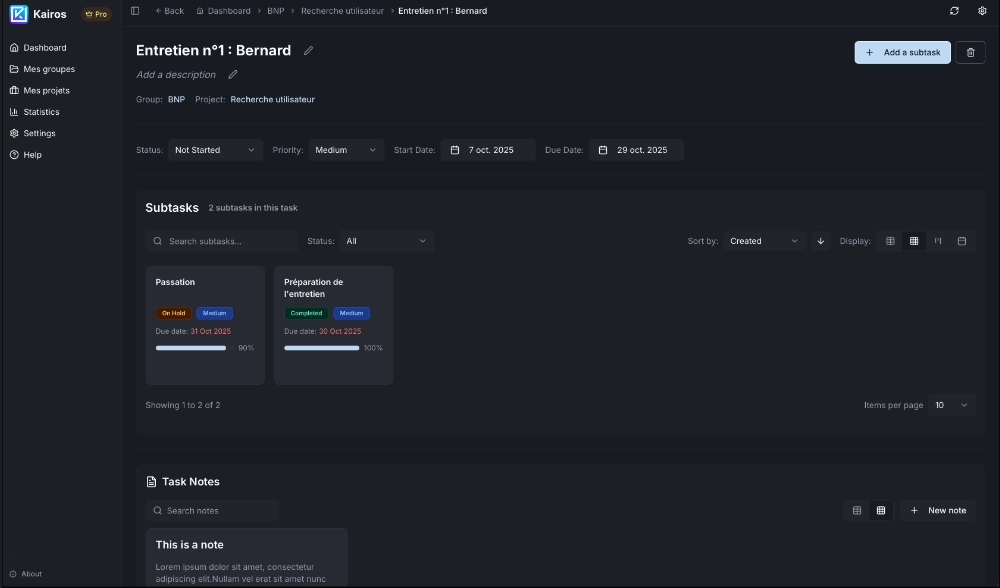
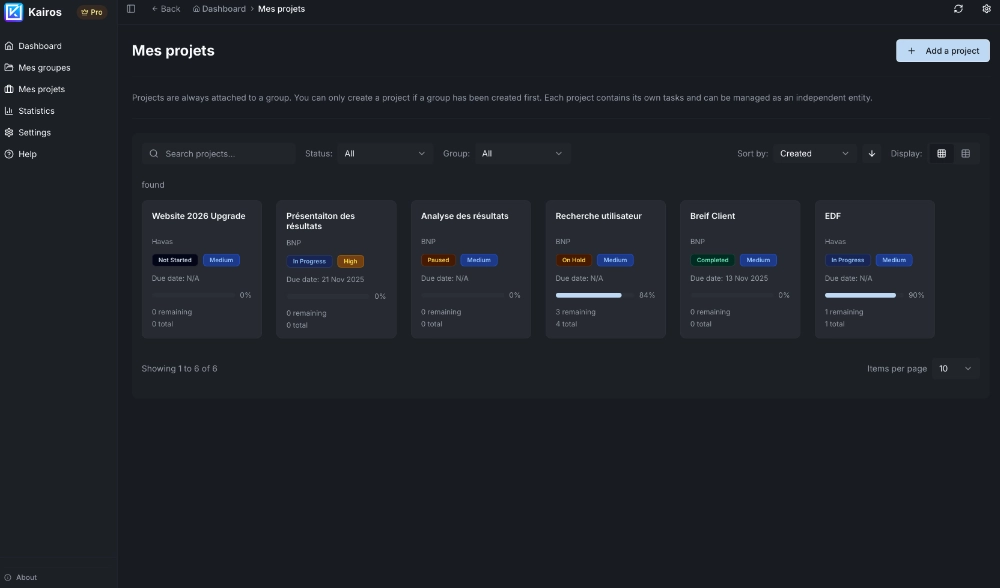
Organize your work into groups, projects, tasks and subtasks.
Use Kanban boards to follow progress, set priorities and due dates, and keep important notes attached to your work.
Spend less time navigating your tools and more time moving projects forward.
- Groups, projects, tasks and subtasks
- Kanban boards
- Priorities, statuses and due dates
- Task notes and project progress
Track your time
Know where your time goes.
Start a timer while you work, add time manually when needed, and compare actual time with your estimates.
Keep a clearer picture of the effort behind your projects, without juggling a separate time-tracking tool.
- Built-in timers
- Manual time entries
- Time estimates
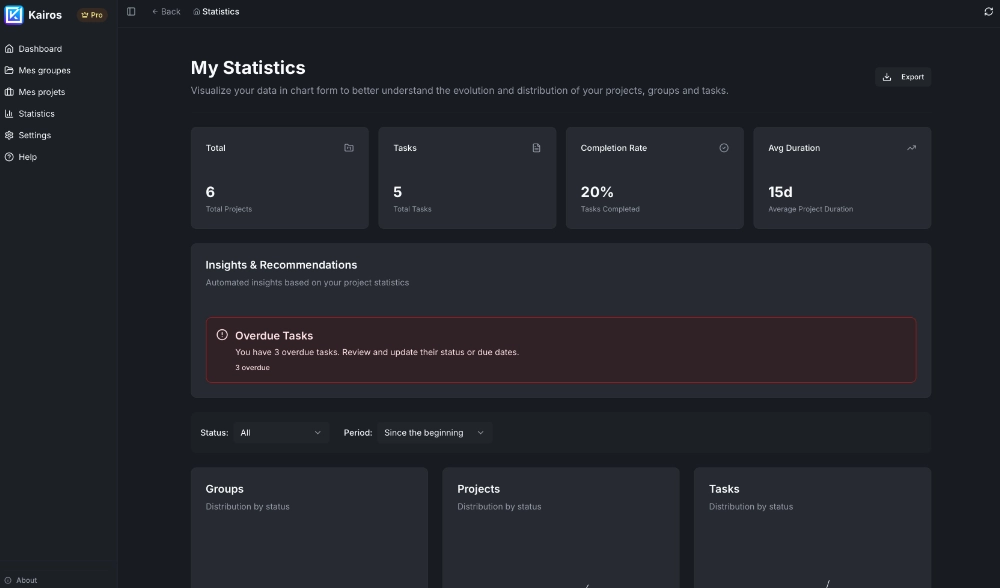
- Progress and time statistics
Work your way
Your projects belong on your Mac.
No account required. No cloud workspace to configure. No internet connection needed for project management.
Your projects, tasks, notes and time records are stored locally, so you can keep working wherever you are.
- Works offline
- Local project storage
- Local backups
- JSON import and export
Kairos uses limited usage measurement to help improve the app. You can turn it off in Settings. Your project content is not transmitted. Read our Privacy Policy for details.
Simple pricing
Start free. Pay once if you need more.
No monthly plans. No recurring subscription.
Kairos Lite
Free
For your own client projects.
- Core project management
- Kanban boards
- Tasks and subtasks
- Local storage
- Light and dark themes
- 2 groups, 4 projects, 20 tasks and 20 subtasks in total
Kairos Pro
€9.99 one-time purchase
Everything in Lite, without the capacity limits.
- Everything in Lite
- Unlimited groups, projects, tasks and subtasks
Lite and Pro are separate apps on the Mac App Store. Regional pricing may vary.
Made for independent work
Built for people managing their own projects.
Freelancers
Keep client work organized without adding another subscription to your expenses.
Consultants
Track assignments, priorities and deadlines while keeping project information on your own Mac.
Designers & creatives
Manage creative projects, track tasks and stay focused on delivery.
Indie makers
Organize multiple projects in a lightweight tool that works offline.
FAQ
Kairos FAQ
Is Kairos free?
Yes. Kairos Lite is free to download from the Mac App Store. If you need more capacity, Kairos Pro is available as a one-time purchase.
Do I need an account?
No. You can manage your projects without creating an account or signing into a cloud workspace.
Does Kairos work offline?
Yes. Your project management features work offline, and your project data stays locally on your Mac.
What's the difference between Lite and Pro?
Lite includes the core project management experience: 2 groups, 4 projects, 20 tasks and 20 subtasks in total. Pro removes those limits.
Is Kairos a Trello or Notion alternative?
If you're managing your own projects, Kairos offers a simpler local-first option with Kanban boards, tasks and time tracking. It is not designed to replace real-time team collaboration platforms.
Is my data private?
Your project content stays on your device. Kairos also uses limited usage measurement, which you can turn off in Settings. See the Privacy Policy for details.
Which devices are supported?
Kairos is currently available for Mac, running macOS 12 or later.
Less project admin. More work done.
Your next project deserves a simpler place to live.
Start with Kairos Lite for free, or choose Pro with a one-time purchase.
macOS 12+ · English & French · No subscription
Our other products
Another problem to solve?
SaaS · Event software
Adsumio — Registration and QR check-in, from invitation to last scan.
A form here, a spreadsheet there, emails sent by hand and a paper list at the door: every event turns into a puzzle — and the queue grows at the entrance.
Discover AdsumioB2B SaaS · CSR & HR
Koeo — Skills-based volunteering, run end to end.
Corporate skills-based volunteering still runs on email and spreadsheets: volunteers drop out, HR chases paperwork, CSR reporting is guesswork.
Discover KoeoB2B SaaS · Employee engagement
Contestnco — Online team building that actually brings people together.
Your teams are spread across sites, countries and generations. Offsites are expensive, reach only part of the workforce and leave nothing behind.
Discover ContestncoWeb · SaaS · AI agent
UXSizer — Estimate a UX project in minutes, not hours.
Costing a UX project takes hours — and the result is still a guess. Workshops, recruiting, synthesis: something always gets forgotten.
Discover UXSizerWeb · Travel · AI
Easy Discovery — Travel better, without losing your evenings to planning.
Planning a trip means 15 open tabs, contradictory reviews, outdated info and tourist traps you only discover on arrival.
Discover Easy Discovery